
Digitaler Hochzeitsplaner
- Regular price
- $34.26
- Sale price
- $34.26
- Regular price
📥 Loved by 80,000 customers in Germany · 💸 30 day money back guarantee
Couldn't load pickup availability


More about the product
Description
More
Less
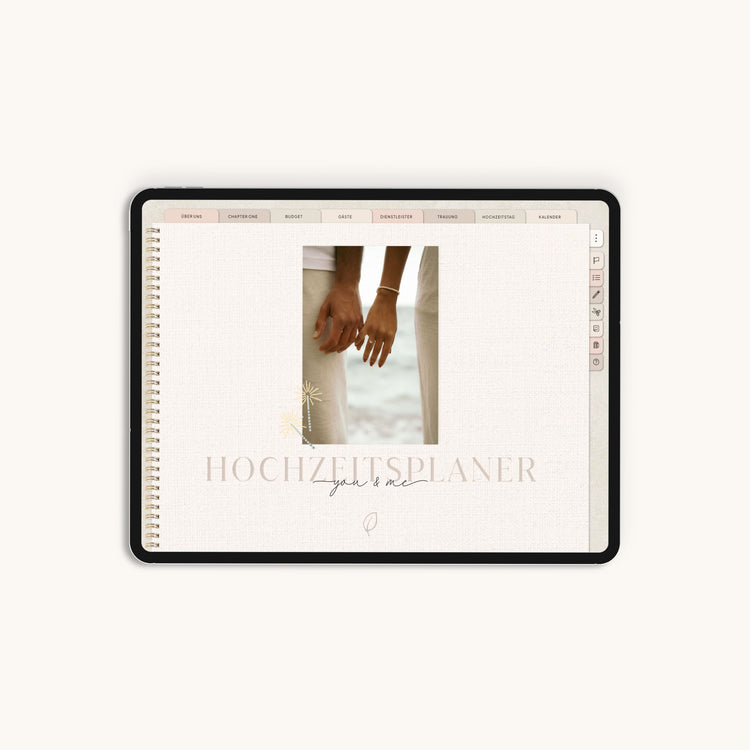
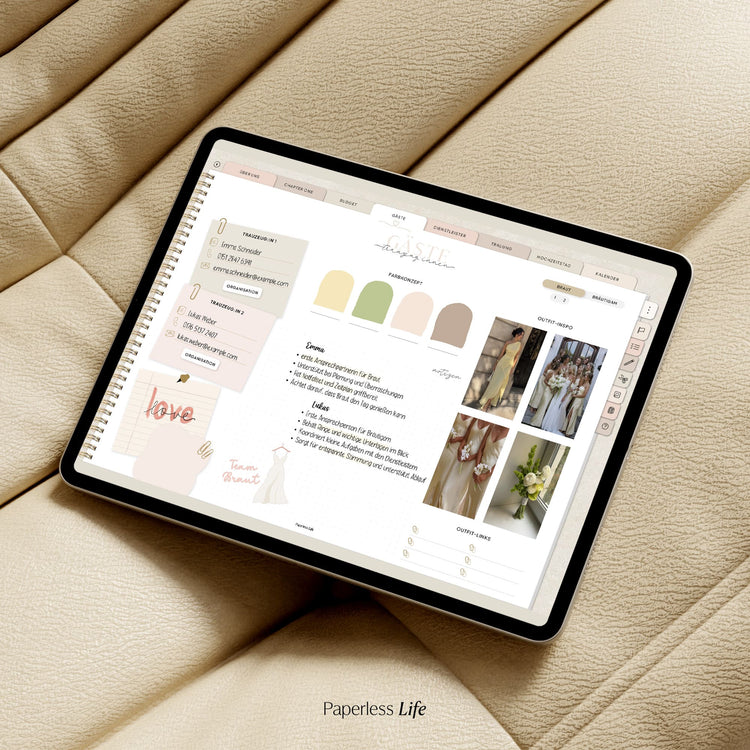
Digitaler Hochzeitsplaner – eure gesamte Hochzeitsplanung an einem Ort.
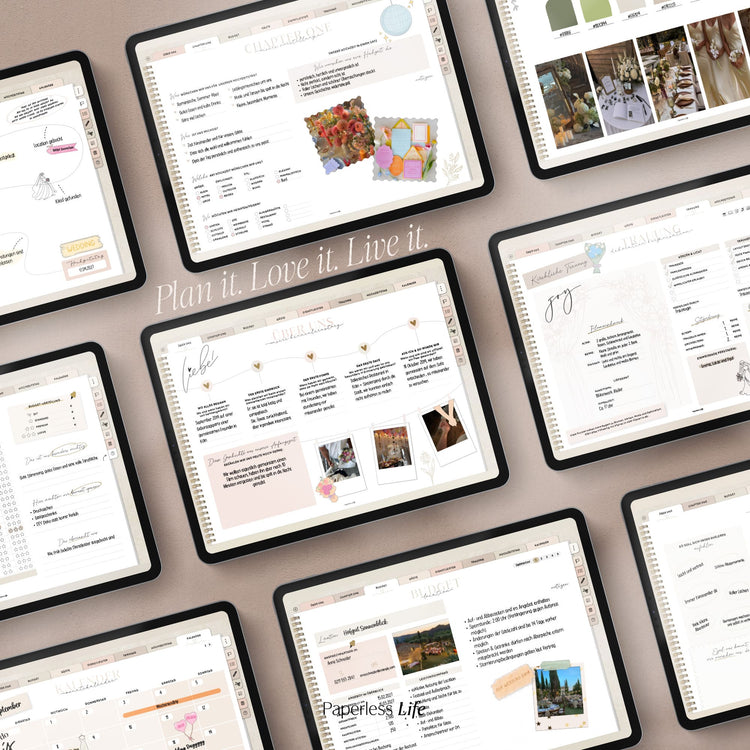
Von den ersten Ideen bis zu eurem großen Tag: Mit dem digitalen Hochzeitsplaner plant ihr eure Hochzeit Schritt für Schritt in Goodnotes auf dem iPad oder Tablet.
✓ Ideen & Wünsche sammeln
✓ Aufgaben & Termine organisieren
✓ Budget & Kosten im Blick behalten
✓ Gäste & Dienstleister planen
✓ Stil, Farben & Gestaltung festlegen
✓ Trauung vorbereiten
✓ Hochzeitstag koordinieren
✓ Details & Absprachen festhalten
✓ Erinnerungen & besondere Momente sammeln
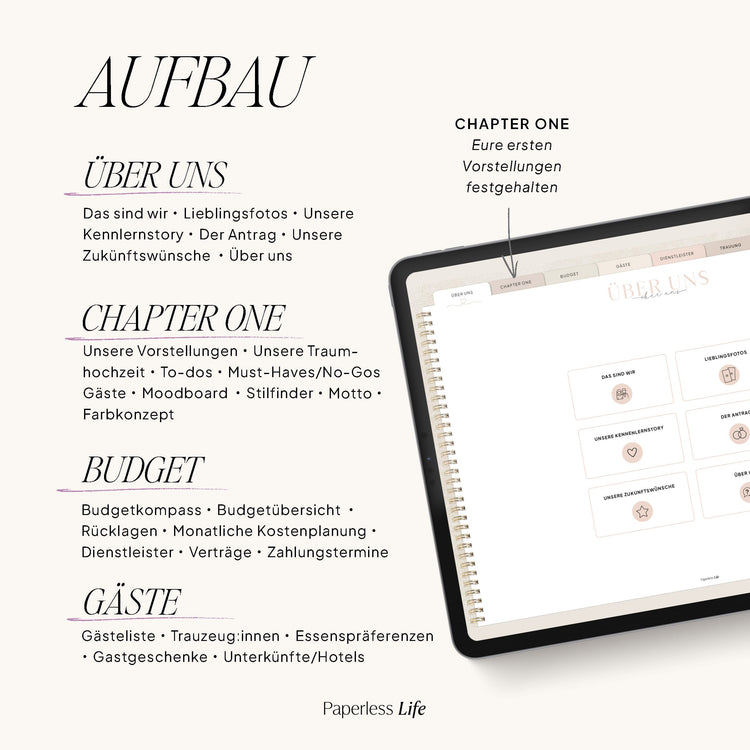
▸ Das steckt im digitalen Hochzeitsplaner:
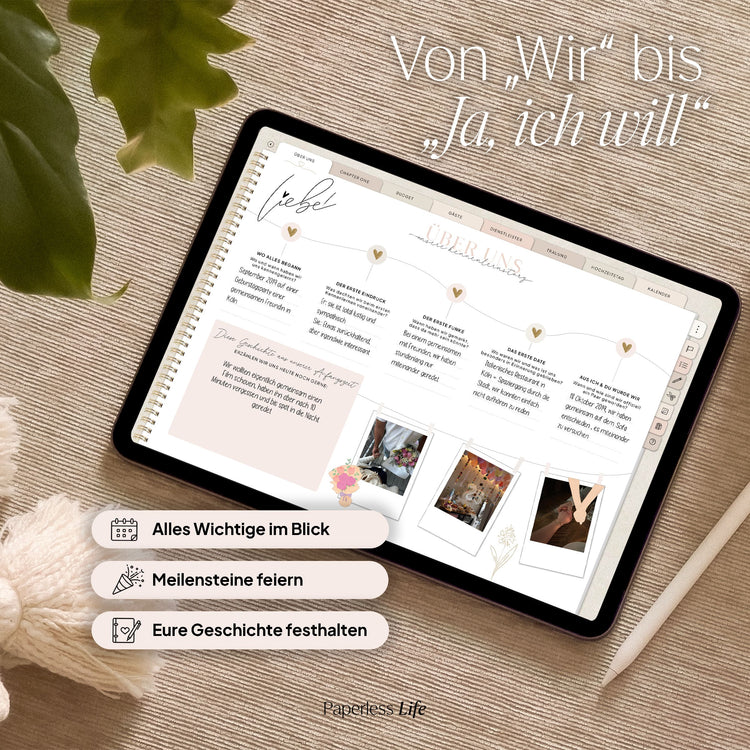
💕 Über uns
Haltet eure gemeinsame Geschichte und besondere Erinnerungen fest:
- Kennenlernstory
- Lieblingsbilder
- Der Antrag
- Zukunftswünsche
- Persönliche Fragen über euch
💍 Eure Hochzeit
Bevor es an die Details geht, könnt ihr eure ersten Vorstellungen sammeln und herausfinden, wie eure Hochzeit aussehen soll:
- Größe und Gästeanzahl
- Vorstellungen zur Location
- Must Haves und No Gos
- Stilfinder
- Stilguide mit Farbwelten und Stilrichtungen
- Meilensteine eurer Hochzeitsplanung
💰 Budget & Kosten
Plant euer Hochzeitsbudget und behaltet geplante und tatsächliche Kosten im Blick:
- Budgetkompass für eure Prioritäten
- Budgetübersicht
- Monatliche Kostenplanung
- Kosten und Leistungen von Dienstleistern vergleichen
- Vertragsunterlagen ablegen
- Zahlungstermine festhalten
Mit dem Budgetkompass könnt ihr außerdem festlegen, in welchen Bereichen ihr DIY, Standard, Premium oder Luxus plant. So bekommt ihr einen besseren Überblick darüber, wie ihr euer Budget verteilen möchtet.
👫 Gäste
Alles rund um eure Hochzeitsgäste übersichtlich an einem Ort:
- Gästeliste
- Essen
- Gastgeschenke
- Unterkünfte und Hotels
- Trauzeugen
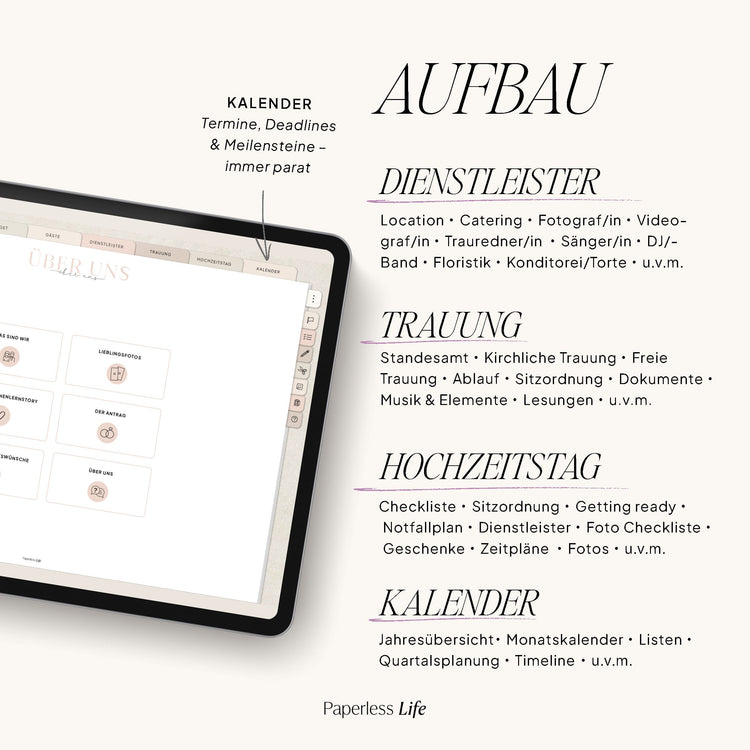
🤝 Dienstleister
Für 15 vorgegebene Dienstleister stehen euch eigene Planungsbereiche zur Verfügung. Je nach Dienstleister könnt ihr unter anderem folgende Inhalte festhalten:
- Steckbrief
- Moodboard
- Fragen und Antworten
- Individueller Zeitplan
- Backup bei Ausfall
- Planungshilfen mit Tipps und wichtigen Punkten
- Leistungen und Preise
💒 Trauung
Egal, wie ihr heiratet: Für die Planung stehen euch eigene Bereiche für verschiedene Arten der Trauung zur Verfügung:
- Standesamtliche Trauung
- Kirchliche Trauung
- Freie Trauung
Plant dort unter anderem Musik, Sitzordnung, Dekoration, Auszug und Empfang sowie wichtige Ansprechpartner.
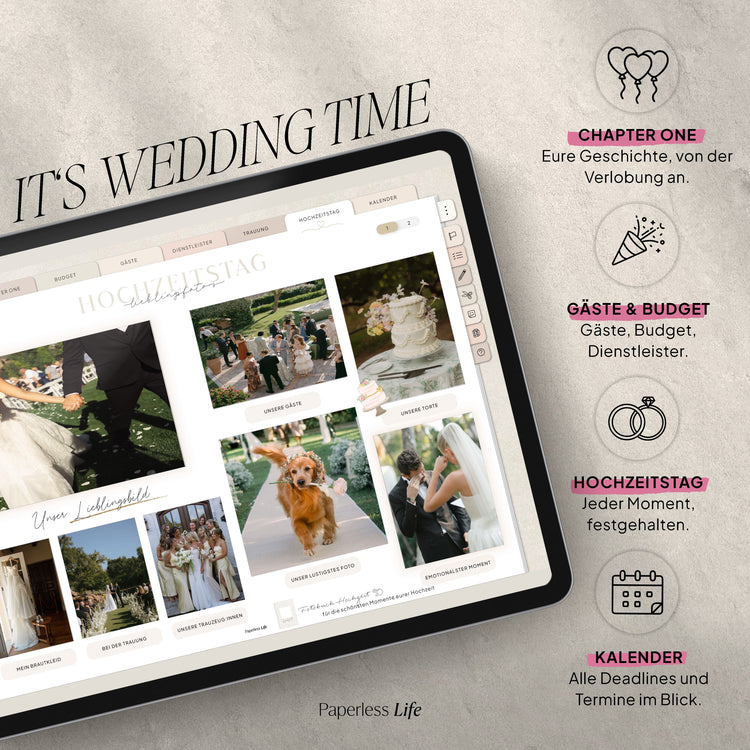
🥂 Hochzeitstag
Damit ihr am großen Tag nicht mehr über jedes Detail nachdenken müsst, könnt ihr den Ablauf vorher ausführlich vorbereiten:
- Checkliste für wichtige letzte Punkte
- Getting Ready
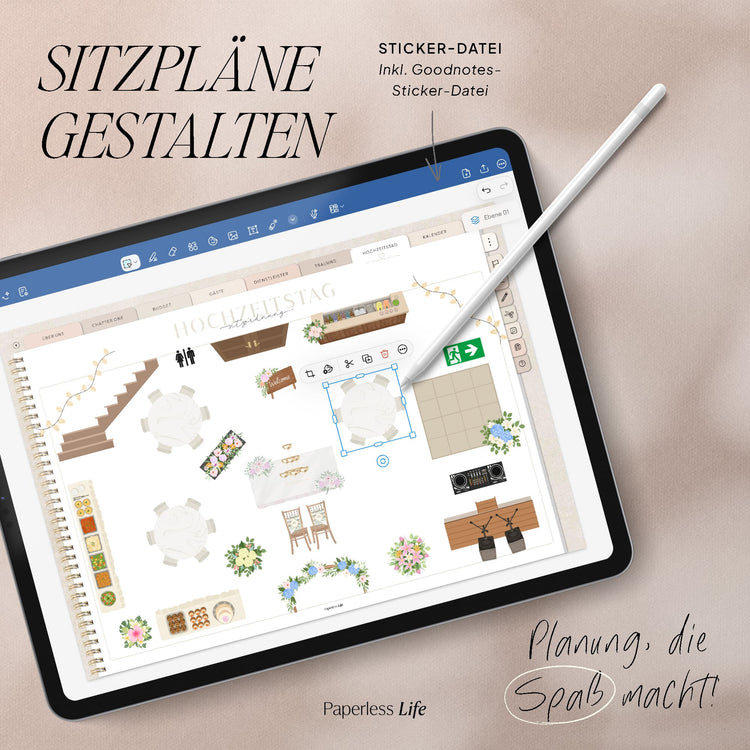
- Sitzordnung
- Notfallplan und Notfalltasche
- Koordination der Dienstleister
- Foto Checkliste
- Zeitpläne
- Geschenkeübersicht
- Abbau, Verleih und Transport
- Lieblingsmomente und Lieblingsfotos
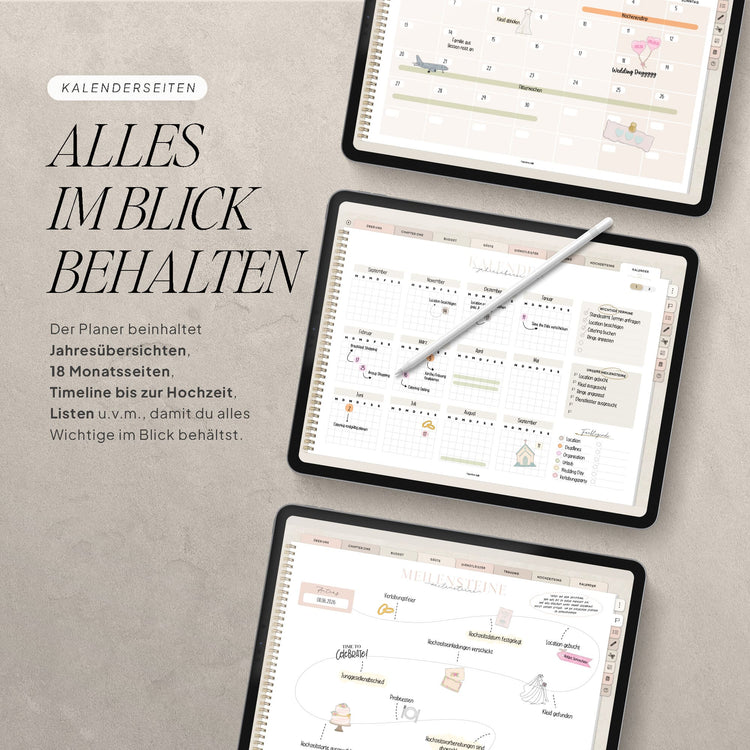
🗓️ Kalender & Organisation
Nutzt die Kalenderansichten, die am besten zu eurer Planung passen. Ergänzend findet ihr Bereiche für:
- To Dos
- Termine
- Meilensteine
- Notizen
- Hilfeseiten
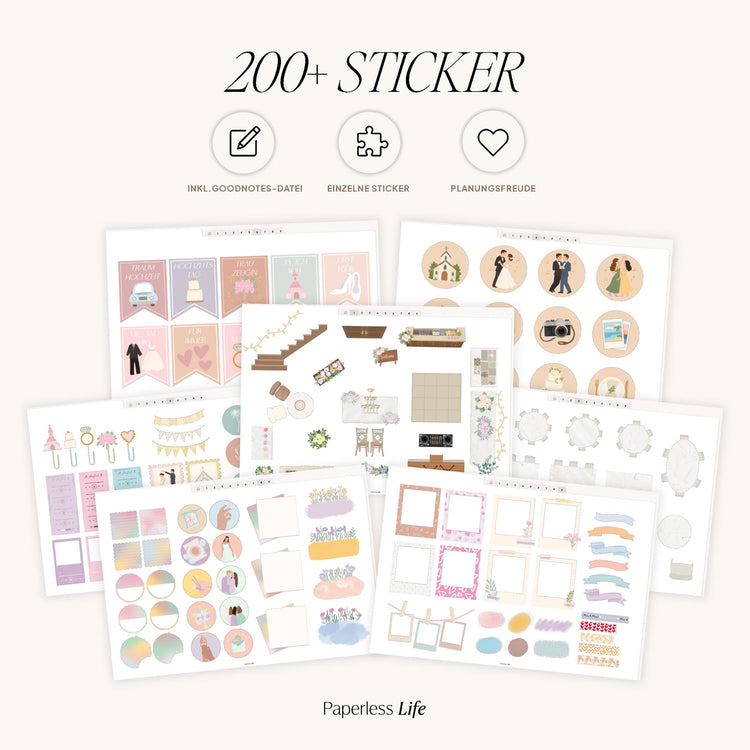
- Sticker
Ihr entscheidet selbst, welche Ansichten und Planungsseiten ihr für eure Hochzeit nutzen möchtet.
🎨 DIY Projekte
Von selbst gestalteter Dekoration bis zu kleinen persönlichen Details: Plant bis zu 20 DIY Projekte und haltet eure Ideen und die Umsetzung direkt im Hochzeitsplaner fest.
📝 Vorlagen
Zusätzliche Vorlagen geben euch noch mehr Möglichkeiten, euren Hochzeitsplaner individuell zu nutzen:
- Allgemeine Vorlagen wie liniert, kariert und blanko
- Organisationsvorlagen, zum Beispiel für Songlisten, JGA Planung und Vergleiche
- Kreativvorlagen wie Moodboards und Fotovorlagen
Du erhältst:
- Digitaler Hochzeitsplaner als PDF Datei für Goodnotes und Co.
- 177 Sticker, Cover und Mini Cover
Download | Notes
More
Less
▸ Download and get started right away:
After the payment process, you will be redirected to a page (thank you page) where your files will be automatically compiled for download. This may take a few seconds; please do not close the page beforehand.
Additionally, all files will be sent to you via email.
▸ Please note:
The planner is intended for personal use only. Commercial use, distribution, or sale is not permitted.
This is a digital product – no physical product will be shipped.
Synchronization | Calendar function
More
Less
▸ Synchronization:
You can sync all of our products across multiple devices so you can access your planner from anywhere. This requires saving the files to a cloud. Please note: The best possible syncing is achieved within one operating system and one note-taking app. For example , Goodnotes on your iPad and Goodnotes on your iPhone/MacBook.
▸ Apple Calendar feature and Reminders app:
Here's how the calendar feature works: Create an appointment for your Apple Calendar directly in the digital planner or add a new task to the Reminders app. View all upcoming appointments and tasks in the digital planner.
Furthermore, you can synchronize the following email services with your Apple Calendar on Apple devices and thus always have access to the following calendars:
✔️ Outlook
✔️ Microsoft Exchange
✔️ Yahoo
✔️ AOL
✔️ CalDAV
▸ Google Calendar feature:
Create appointments for your Google Calendar directly in the digital planner. You also have the option to view all upcoming appointments from Google Calendar directly in the digital planner.
▸ Please note: Appointments handwritten in the digital planner cannot be automatically transferred to the Apple/Google Calendar. Appointments created for the Apple/Google Calendar do not automatically appear in the digital planner. This is not technically possible.
Technical requirements
More
Less
For the best possible planning experience, we recommend the following equipment:
💻 Tablet – The planner can also be used on laptops/PCs and smartphones, but is optimized for tablets. It doesn't have to be an iPad—our planners work on other tablets as well.
✏️ Pen – The pen allows you to take handwritten notes and write like on paper.
📲 Notes app – Using a digital planner requires a note-taking app that supports hyperlinks. We recommend:
- iOS/iPadOS : Goodnotes 5/6
- Android : Penly
- Windows : Drawboard PDF
Please note: Additional charges may apply when using the recommended note-taking apps. The planner is not compatible with OneNote , as the app does not support hyperlinks.
Description
Digitaler Hochzeitsplaner – eure gesamte Hochzeitsplanung an einem Ort.
Von den ersten Ideen bis zu eurem großen Tag: Mit dem digitalen Hochzeitsplaner plant ihr eure Hochzeit Schritt für Schritt in Goodnotes auf dem iPad oder Tablet.
✓ Ideen & Wünsche sammeln
✓ Aufgaben & Termine organisieren
✓ Budget & Kosten im Blick behalten
✓ Gäste & Dienstleister planen
✓ Stil, Farben & Gestaltung festlegen
✓ Trauung vorbereiten
✓ Hochzeitstag koordinieren
✓ Details & Absprachen festhalten
✓ Erinnerungen & besondere Momente sammeln
▸ Das steckt im digitalen Hochzeitsplaner:
💕 Über uns
Haltet eure gemeinsame Geschichte und besondere Erinnerungen fest:
- Kennenlernstory
- Lieblingsbilder
- Der Antrag
- Zukunftswünsche
- Persönliche Fragen über euch
💍 Eure Hochzeit
Bevor es an die Details geht, könnt ihr eure ersten Vorstellungen sammeln und herausfinden, wie eure Hochzeit aussehen soll:
- Größe und Gästeanzahl
- Vorstellungen zur Location
- Must Haves und No Gos
- Stilfinder
- Stilguide mit Farbwelten und Stilrichtungen
- Meilensteine eurer Hochzeitsplanung
💰 Budget & Kosten
Plant euer Hochzeitsbudget und behaltet geplante und tatsächliche Kosten im Blick:
- Budgetkompass für eure Prioritäten
- Budgetübersicht
- Monatliche Kostenplanung
- Kosten und Leistungen von Dienstleistern vergleichen
- Vertragsunterlagen ablegen
- Zahlungstermine festhalten
Mit dem Budgetkompass könnt ihr außerdem festlegen, in welchen Bereichen ihr DIY, Standard, Premium oder Luxus plant. So bekommt ihr einen besseren Überblick darüber, wie ihr euer Budget verteilen möchtet.
👫 Gäste
Alles rund um eure Hochzeitsgäste übersichtlich an einem Ort:
- Gästeliste
- Essen
- Gastgeschenke
- Unterkünfte und Hotels
- Trauzeugen
🤝 Dienstleister
Für 15 vorgegebene Dienstleister stehen euch eigene Planungsbereiche zur Verfügung. Je nach Dienstleister könnt ihr unter anderem folgende Inhalte festhalten:
- Steckbrief
- Moodboard
- Fragen und Antworten
- Individueller Zeitplan
- Backup bei Ausfall
- Planungshilfen mit Tipps und wichtigen Punkten
- Leistungen und Preise
💒 Trauung
Egal, wie ihr heiratet: Für die Planung stehen euch eigene Bereiche für verschiedene Arten der Trauung zur Verfügung:
- Standesamtliche Trauung
- Kirchliche Trauung
- Freie Trauung
Plant dort unter anderem Musik, Sitzordnung, Dekoration, Auszug und Empfang sowie wichtige Ansprechpartner.
🥂 Hochzeitstag
Damit ihr am großen Tag nicht mehr über jedes Detail nachdenken müsst, könnt ihr den Ablauf vorher ausführlich vorbereiten:
- Checkliste für wichtige letzte Punkte
- Getting Ready
- Sitzordnung
- Notfallplan und Notfalltasche
- Koordination der Dienstleister
- Foto Checkliste
- Zeitpläne
- Geschenkeübersicht
- Abbau, Verleih und Transport
- Lieblingsmomente und Lieblingsfotos
🗓️ Kalender & Organisation
Nutzt die Kalenderansichten, die am besten zu eurer Planung passen. Ergänzend findet ihr Bereiche für:
- To Dos
- Termine
- Meilensteine
- Notizen
- Hilfeseiten
- Sticker
Ihr entscheidet selbst, welche Ansichten und Planungsseiten ihr für eure Hochzeit nutzen möchtet.
🎨 DIY Projekte
Von selbst gestalteter Dekoration bis zu kleinen persönlichen Details: Plant bis zu 20 DIY Projekte und haltet eure Ideen und die Umsetzung direkt im Hochzeitsplaner fest.
📝 Vorlagen
Zusätzliche Vorlagen geben euch noch mehr Möglichkeiten, euren Hochzeitsplaner individuell zu nutzen:
- Allgemeine Vorlagen wie liniert, kariert und blanko
- Organisationsvorlagen, zum Beispiel für Songlisten, JGA Planung und Vergleiche
- Kreativvorlagen wie Moodboards und Fotovorlagen
Du erhältst:
- Digitaler Hochzeitsplaner als PDF Datei für Goodnotes und Co.
- 177 Sticker, Cover und Mini Cover
Download | Notes
▸ Download and get started right away:
After the payment process, you will be redirected to a page (thank you page) where your files will be automatically compiled for download. This may take a few seconds; please do not close the page beforehand.
Additionally, all files will be sent to you via email.
▸ Please note:
The planner is intended for personal use only. Commercial use, distribution, or sale is not permitted.
This is a digital product – no physical product will be shipped.
Synchronization | Calendar function
▸ Synchronization:
You can sync all of our products across multiple devices so you can access your planner from anywhere. This requires saving the files to a cloud. Please note: The best possible syncing is achieved within one operating system and one note-taking app. For example , Goodnotes on your iPad and Goodnotes on your iPhone/MacBook.
▸ Apple Calendar feature and Reminders app:
Here's how the calendar feature works: Create an appointment for your Apple Calendar directly in the digital planner or add a new task to the Reminders app. View all upcoming appointments and tasks in the digital planner.
Furthermore, you can synchronize the following email services with your Apple Calendar on Apple devices and thus always have access to the following calendars:
✔️ Outlook
✔️ Microsoft Exchange
✔️ Yahoo
✔️ AOL
✔️ CalDAV
▸ Google Calendar feature:
Create appointments for your Google Calendar directly in the digital planner. You also have the option to view all upcoming appointments from Google Calendar directly in the digital planner.
▸ Please note: Appointments handwritten in the digital planner cannot be automatically transferred to the Apple/Google Calendar. Appointments created for the Apple/Google Calendar do not automatically appear in the digital planner. This is not technically possible.
Technical requirements
For the best possible planning experience, we recommend the following equipment:
💻 Tablet – The planner can also be used on laptops/PCs and smartphones, but is optimized for tablets. It doesn't have to be an iPad—our planners work on other tablets as well.
✏️ Pen – The pen allows you to take handwritten notes and write like on paper.
📲 Notes app – Using a digital planner requires a note-taking app that supports hyperlinks. We recommend:
- iOS/iPadOS : Goodnotes 5/6
- Android : Penly
- Windows : Drawboard PDF
Please note: Additional charges may apply when using the recommended note-taking apps. The planner is not compatible with OneNote , as the app does not support hyperlinks.
Start your paperless journey – with us.

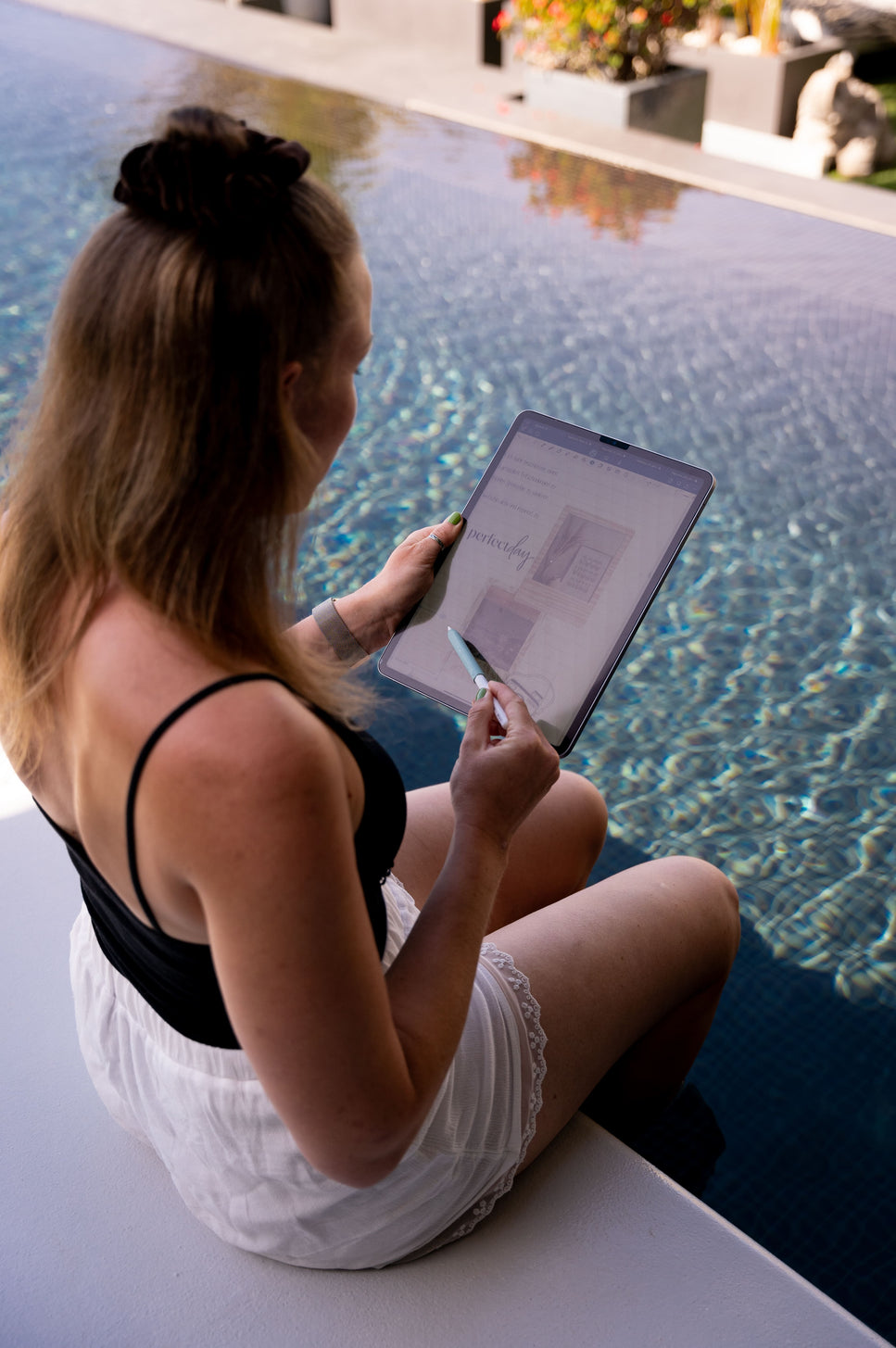
Start your paperless journey – with us.
What once began as a small idea is now our mission: to share the joy of paperless planning with others.
We believe that life is about more than endless to-do lists and the constant pressure to get everything done. We celebrate the small moments of success in everyday life – and believe that they shouldn't get lost among the 100 to-dos in our heads.
Good planning brings serenity and clarity to your everyday life. It helps you focus on what's essential—and create space for what really matters. I'm sure that with the right planner, we can make our everyday lives so much more colorful. When we plan more consciously, we can live more relaxed lives.
Reviews
$11.38
SS - Product Addons
Select product(s) to see addons appear.
This message only appears in theme editor.